- /
- Storage Guides
- /
- Ransomware
- /
- Ransomware attacks on MSPs: A guide to protection and recovery
Ransomware attacks on MSPs: A guide to protection and recovery
 PS
PSContent Writer
 GA
GAVice President of Product Marketing
A third party is involved in 48% of all data breaches today, up 60% in a single year. [1] For every client on its books, a managed service provider (MSP) is a third party, and usually the one with the most privileged access.
An MSP ransomware attack is a single intrusion that arrives at every client at once. Rather than breaking into fifty companies, the attacker compromises the one that already holds privileged access to all fifty, then uses that access the way a technician would.
As 83% of organizations have suffered at least one ransomware attack in the past two years, avoiding ransomware entirely is no longer a realistic plan. [2] For an MSP, the question worth planning around is not whether a client environment will be hit, but how many will be hit at the same time.
This guide covers why ransomware groups target MSPs, how attackers move from an MSP's management tools into client networks, why shared backup credentials can undo the recovery plan for every client, and how to restore multiple environments at once.
Key takeaways
-
One intrusion into an MSP can deliver ransomware to every client at once, because the privileged access that makes the service work is the same access an attacker inherits.
-
Remote monitoring and management (RMM) platforms are the highest-value route in, because an RMM maintains a standing connection to every client network that an attacker inherits intact.
-
Shared backup administrator credentials decide the outcome of an MSP ransomware attack. Backup storage with Absolute Immutability is what protects backup data when those credentials are in an attacker's hands.
Why ransomware groups target MSPs
Ransomware groups target MSPs not because they are easier to breach than the clients they protect, but because a single intrusion can produce many victims, and the access needed to reach them is already in place.
There are four aspects of MSPs that make them high-value targets to bad actors.
-
One intrusion, many victims: In an MSP supply chain attack, the attacker reaches the intended targets through a supplier that those targets already trust. Compromising a single MSP can spread ransomware to dozens or hundreds of downstream environments, so the effort per victim falls to a fraction of what a direct attack would cost.
-
The keys come with the contract: MSPs hold high-privilege credentials in every client environment by design, because remote administration is the service clients pay for. An attacker who takes over those credentials inherits that reach without having to earn it.
-
One playbook fits every client: The tooling, naming conventions, and security baselines an MSP applies across its book are what make a large estate efficient to run. They also make it efficient to attack, because reconnaissance performed once tends to apply everywhere.
-
Regulators reached the same conclusion: The EU and the UK have both written managed service providers into cybersecurity law as a distinct category rather than treating them as ordinary businesses. Their reasoning matches that of an attacker: a compromised MSP can disrupt many organizations at once.
-
Under NIS2, ICT service management is one of the Annex I sectors of high criticality, covering providers of managed services and managed security services. [3] Classification then follows the EU definition of enterprise size, so MSPs with 250 or more employees, or with turnover above €50 million and a balance sheet above €43 million, count as essential entities. [4]
-
The UK is heading the same way. Its Cyber Security and Resilience Bill is not law yet, but when it becomes law, it will create a category of relevant managed service providers and set incident reporting at 24 and 72 hours. [5]
How attackers get into an MSP through your RMM
Every MSP runs on two platforms. Remote monitoring and management (RMM) software gives technicians a standing connection to every client network. Professional services automation (PSA) software holds the tickets, contracts, and client records that describe what sits inside those networks. The RMM is the higher-value target because it not only describes client environments but also reaches them.
Getting into that platform usually takes one of two routes. The first is a management server left exposed to the internet without current patches, and exploiting a software vulnerability is now the single largest starting point for breaches, at 31%. [1] The second is a technician account without multi-factor authentication, where a stolen password is enough on its own.
Either route ends in the same place. The attacker escalates privileges inside the platform, then pushes ransomware out through the MSP's own agents, using the same mechanism technicians use to deploy patches and scripts. On a monitoring dashboard, that push looks like a scheduled software update, which is what makes these attacks so hard to spot.
DragonForce actors did exactly this in 2025. They likely chained three vulnerabilities in SimpleHelp, the RMM tool an MSP hosted for its clients, then used that access to map their networks before deploying ransomware and stealing data. [6]
By then, the attacker holds administrative rights in every environment the RMM touches, including the consoles that control the backups.
Can one stolen admin login wipe out all client backups?
In many MSPs, one backup administrator’s account controls the backups for every client, so the credentials an attacker steals to move through client environments often govern the recovery plan for all of them. MSPs end up here because shared consoles make managing 50+ clients economical, and that trade-off is one of the MSP backup challenges of running many environments at once.
That account is also the route to the data backups. Many MSPs run a hybrid model, keeping a local copy on each client site and an offsite copy in their own datacentre to meet the 3-2-1-1-0 rule: three copies, on two different media, one offsite, one immutable, and zero errors on restore verification.
When one console controls both, a single stolen login can reach both. Attackers hunt for backups to block recovery and force ransom payments, and without them, ransom is the only way out. A cornerstone of data backup and recovery is maintaining immutable backups, meaning that during a predefined time window, a backup cannot be altered or deleted.
Care is needed here, though, because many systems that claim to offer immutable backups have hidden exceptions and loopholes. The most common one is a setting: S3 Object Lock in governance mode lets a user with specific override permissions remove the lock, which is exactly what a stolen backup administrator account provides.
A solution to this is Absolute Immutability, which means that even the most privileged admin, or an attacker with access to backup storage, cannot modify or delete data. This level of ransomware backup protection can only be achieved with a backup storage system that is Secure-by-Design, with Zero Access to perform destructive actions. That Zero Access must also be verifiable through third-party testing.
Among IT leaders, 93% say backup storage must protect backups even when attackers know an organization's IT secrets, while only 16% say their storage is absolutely immutable. [2] For an MSP, that gap decides whether the immutable copy in a 3-2-1-1-0 setup survives a stolen login, for every client at once.
How to recover multiple clients after an MSP ransomware attack
Whether an attack takes one client's backups or all of them is decided mostly by architecture, not by how well the incident is handled. Either way, the work looks the same: many client environments are restored at once, through a single pipeline, with every client expecting to be first. What changes is how much there is left to restore.
Organizations are also recovering less than they used to: among those hit by ransomware, only 39% recovered at least 75% of their data in 2026, down from 57% in 2024. [2]
Cut off your own tooling before touching client systems
Disconnect the RMM and PSA platforms first, before any remediation work starts on client systems. If the attacker still holds access to the deployment mechanism, systems cleaned in the morning can be encrypted again by the afternoon.
That means disabling remote access tools, terminating active sessions, revoking API tokens and integration keys, and auditing the platform for accounts, scripts, and scheduled tasks the attacker added. Client systems stay isolated until the management plane is confirmed to be clean.
Confirm which backups survived before promising anyone a timeline
With the platform contained, establish which client backups are intact, which have been encrypted or deleted, and how far back the last clean restore point goes for each one. A recovery schedule built on backups nobody has verified is a guess with dates attached.
Check each restore point against the date of initial compromise rather than the date the ransomware ran. Attackers often maintain access for days or weeks before triggering encryption, so a restore point inside that window can reintroduce the foothold.
Where backup storage is absolutely immutable, this step establishes which restore point to use. Where it is not, it establishes how much has been lost, and for some clients, the answer decides whether recovery is an option at all.
Restore in the order that the contract already sets
Knowing what survived tells you what can run, but not what runs first. That order should be settled in advance, in writing, on stated grounds: contractual Recovery Time Objective (RTO) commitments, regulatory exposure, and business criticality. Note that the volume of phone calls after the event is not one of them!.
Agreeing on this before an incident takes the negotiation out of the worst possible moment and gives account managers something to point at when thirty clients ask the same question at once. A documented ransomware response plan is where that order lives, alongside the roles, escalation paths, and client communication duties that go with it.
Plan for restore throughput, not per-client restore time
Knowing the order does not tell you how long it takes. A restore that runs for an hour on one client runs for days across thirty, because when the on-site copies are lost, every client restores from the MSP's data centre at once, and the constraint becomes that shared pipeline, including the links out to each client site, rather than any single job. The restore throughput measured across the whole estate is the number that decides how long the incident lasts, and it is worth testing before it is needed.
Storage tiering is what moves that number. In a Veeam scale-out backup repository, the performance tier holds recent data for fast restore, while the capacity and archive tiers carry longer retention at lower cost.
Keeping recent client backups on on-premises backup storage at the client site, in the performance tier, means the most urgent restores run at local network speed, so recovering data after a ransomware attack is not queued behind the offsite copy in the MSP's data center, which is built for long-term retention.
The reporting clock starts before the restore finishes
Reporting duties do not wait for the restore. They begin when an MSP becomes aware of the incident, so under NIS2, an early warning falls due within the first day and a fuller notification within three days. [7] Both land while restores are still running. The UK Bill follows the same two-stage pattern. [5]
Restoring the data does not close the matter either. Ransomware operators often steal data before encrypting it, so a clean ransomware recovery can sit alongside a reportable breach for the MSP and affected clients. Legal counsel and the cyber insurer should be included in the response on the first day, not once systems are back online.
Backup storage built for MSP flexibility
MSPs need backup storage that is simple to operate, resilient against ransomware, and flexible enough to support diverse client environments, on client sites and in the MSP's own data center.
Traditional solutions often require manual hardening, rely on fragmented tools, and force MSPs into rigid pricing models that slow growth.
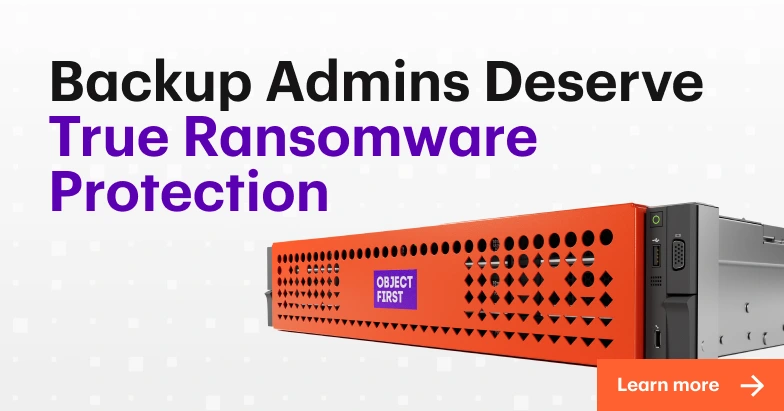
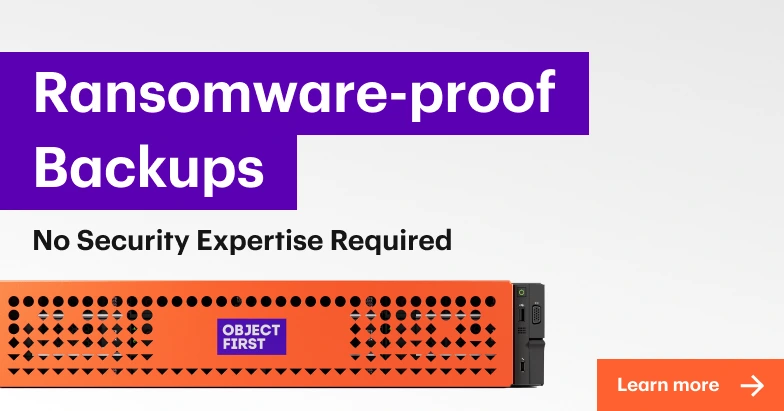
Object First Ootbi makes Veeam data secure with Absolute Immutability, ensuring that no one, not even the most privileged admin or attacker with access to backup storage, can modify or delete backup data.
Enforcement sits in the storage itself rather than in software policy, so it cannot be disabled by credentials, configuration changes, or remote commands, and destructive actions are removed from the administrative interface entirely rather than permission-gated.
For the failures described above, that means:
-
A stolen backup administrator account can still sign in and restore, which is what recovery requires, but cannot alter or delete backups.
-
Ransomware pushed through the MSP's own agents can write new backups, but cannot change what is already written, because immutability applies the moment each backup lands.
-
One console reaching both copies in a hybrid setup cannot lift the lock on either, because enforcement sits in each appliance.
MSPs can simplify their management of multiple deployments with the cloud-based monitoring utility Fleet Manager. When purchasing appliances, MSPs can choose between Consumption-based and CapEx subscription pricing to align with their business model.
Download the white paper to discover the challenges MSPs face and how Object First delivers ransomware-proof backup storage while reducing operational overhead.
FAQ
Should you pay the ransom?
Paying does not guarantee working decryption keys, and the money funds an operation that will attack again. An MSP with verified, absolutely immutable backups can restore client environments without negotiating, which takes the question off the table.
What is the best ransomware protection for MSPs?
The short stack is multi-factor authentication on RMM and PSA platforms, prompt patching of internet-facing management tools, and separate credentials and storage targets for each client. All of it reduces the chance of a breach, while backup storage with Absolute Immutability determines whether an MSP can recover from one.
Does NIS2 require MSPs to be able to recover from ransomware?
Article 21 lists business continuity, including backup management and disaster recovery, among the risk-management measures in-scope entities must implement, and ICT service management sits in Annex I as a sector of high criticality. [3] The directive does not name a specific technology, so the obligation is to demonstrate that recovery actually works, which MSPs can verify against the full list of NIS2 risk-management measures.
References
[1] Verizon. "Vulnerability exploitation is top breach entry point, 2026 DBIR finds." 2026. https://www.verizon.com/about/news/breach-industry-wide-dbir-finds
[2] Omdia. "Recovery without Compromise: The Data-Backed Case for Backup Storage with Absolute Immutability." Research commissioned by Object First. 2026. https://objectfirst.com/recovery-without-compromise/
[3] European Parliament and Council. "Directive (EU) 2022/2555 (NIS2)." 2022. https://eur-lex.europa.eu/eli/dir/2022/2555/oj
[4] European Commission. "Commission Recommendation 2003/361/EC concerning the definition of micro, small and medium-sized enterprises." 2003. https://eur-lex.europa.eu/eli/reco/2003/361/oj
[5] UK Parliament. "Cyber Security and Resilience (Network and Information Systems) Bill, HL Bill 32 of 2026-27." 2026. https://bills.parliament.uk/bills/4035
[6] Sophos. "DragonForce actors target SimpleHelp vulnerabilities to attack MSP, customers." 2025. https://www.sophos.com/en-us/blog/dragonforce-actors-target-simplehelp-vulnerabilities-to-attack-msp-customers/
[7] European Parliament and Council. "Directive (EU) 2022/2555 (NIS2), Article 23." 2022. https://eur-lex.europa.eu/eli/dir/2022/2555/oj