- /
- Quick Start Guide
- /
- Object First Web Management Console
- /
- Creating S3 bucket
Creating S3 bucket
For a step-by-step visual guide on creating an S3 bucket, watch our YouTube video.
To create an s3 bucket, follow the steps below:
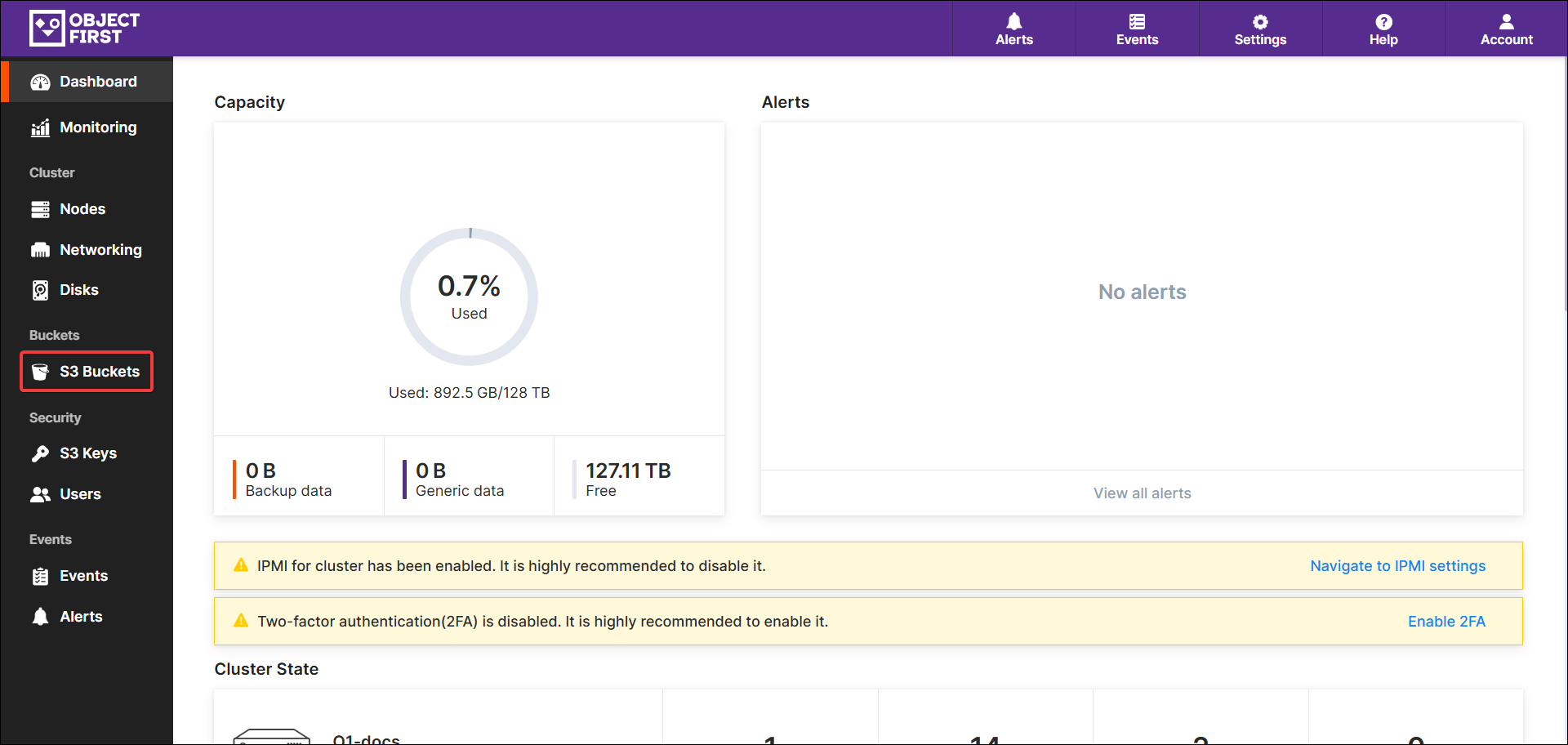
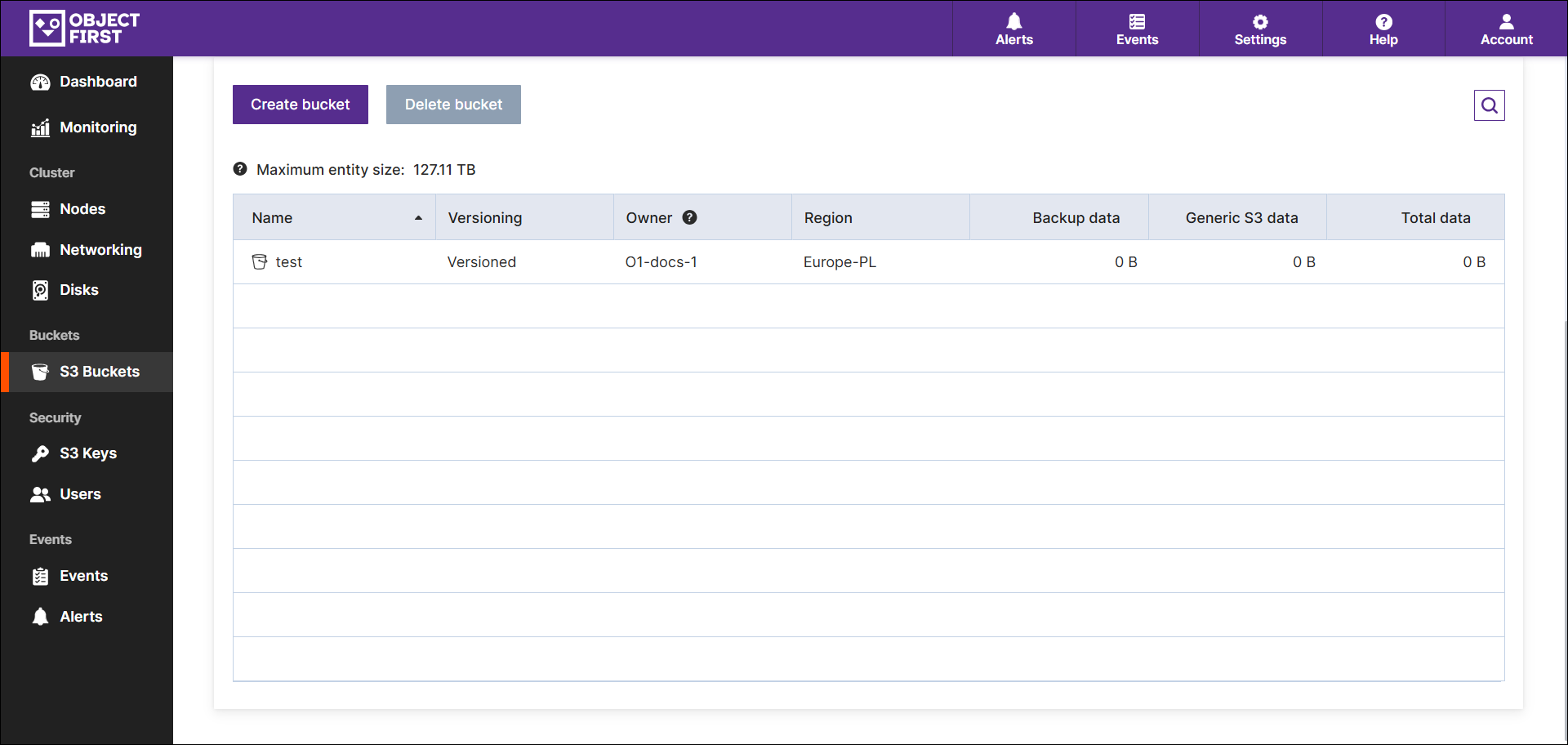
- Log in to Object First Web UI and navigate to the S3 Buckets view lists.
The view displays the cluster capacity utilization and bucket owner nodes.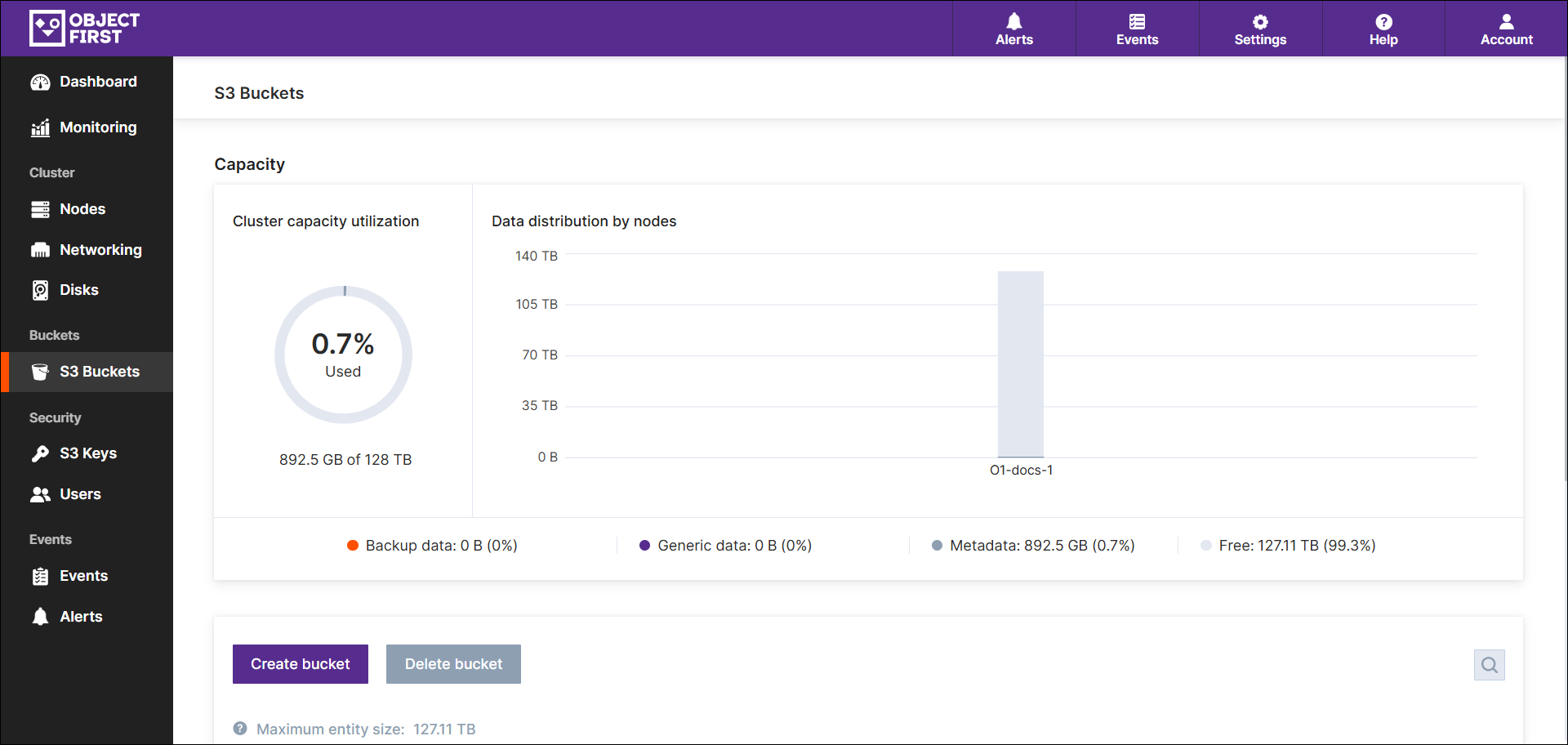
NOTE: You need to create an S3 Key first. To create an S3 key, see Generating an S3 Access Key. -
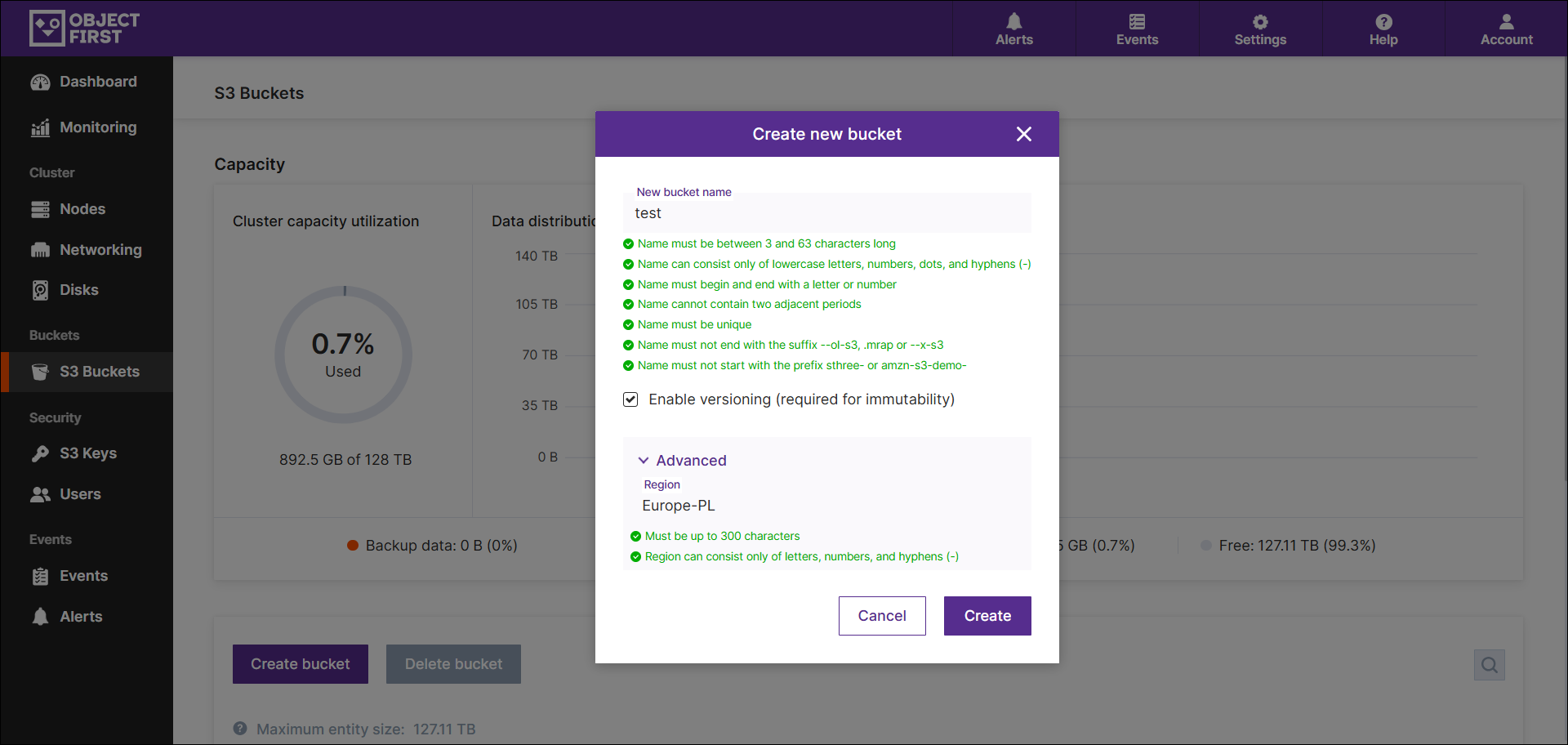
Press Create a bucket and type the bucket name in the pop-up window. Check the Enable versioning checkbox if the immutability feature is required. Also, a region can be specified if required.
-
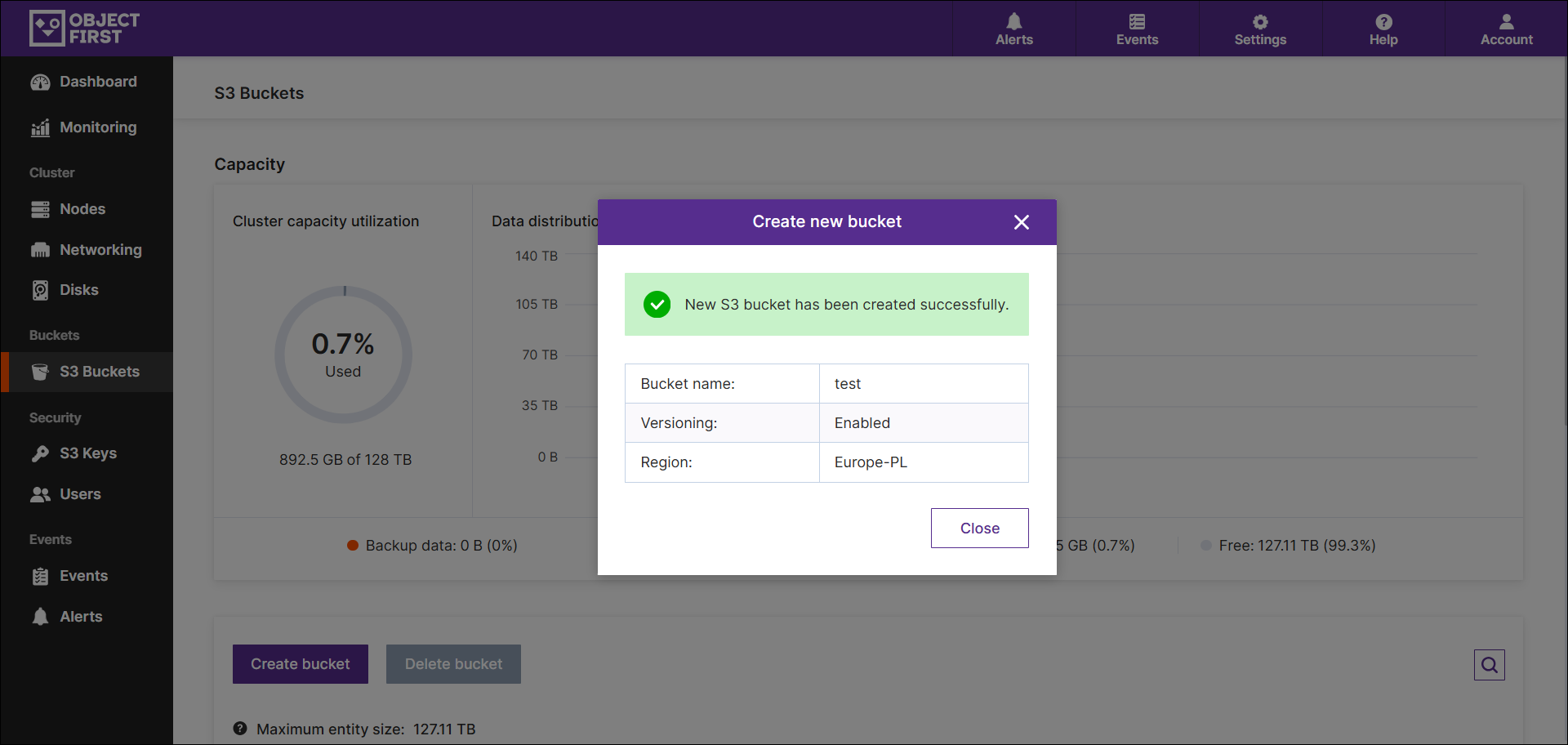
Once the bucket is created, the confirmation message appears.
-
The newly created bucket is available in the S3 Buckets view and can be used on demand.
Sharing your feedback with the team helps us improve the Help Center.